
Networking Basics: Learn How Networks Work

You’ll be amazed at what can happen. The more you learn about why people want to hide their IP addresses, the more you should be convinced to give it a try yourself. Just in case you’re new to this topic, there are more than a few reasons you might want to hide your IP addresses…

Without an IP address, we would all scream into the Internet abyss, and no one would hear us. Interactive websites, social media, and video platforms wouldn’t exist. IP (Internet Protocol) addresses allow us easy access to the Internet. Although we’re each assigned an address, for websites, IP addresses hold paramount importance. You can glean a…

Be the champion and wrangle a promotion out of it. Companies are in the business of making money through selling products and services. But the way companies operate today primarily revolves around having a strong online presence and having networks and servers to run day-to-day operations. Even some of the biggest companies with massive IT…

Every week, publications such as The Wall Street Journal and business sections of major city newspapers report the latest incidents of corporate hacking. As it turns out, the problem isn’t caused exclusively by a growing number of hackers armed with new tools and strategies. The companies being hacked make their own contributions to their security…

You should know that there are some things you can control—and that you likely don’t know about—that will affect your personal Internet experience for the better. One change to consider is whether to switch the default DNS service your Internet Service Provider (ISP) uses. Here’s what that means: DNS stands for “Domain Name System.” A…

You can have the most secure device, be committed to cybersecurity, and still get hacked. Why? It could be simple changes you didn’t make to your router when you got it. Or web beacon. When your cable company or ISP sets up your Internet they’re rushing to finish up and head to their next client.…
When you sit down to get something done on your computer, you may not realize it but you’re relying on more than your Internet browser to get information, go shopping or send emails. You’re also relying on having an IP address that recognizes your computer, as well as a reliable network that you’re connected to—and…

So you’ve decided to purchase and set up your home router system. How much time could it possibly take? You’ve opted out of your internet provider’s offer to rent you equipment and set it up for you. You want to ensure that all security measures for your router are maintained by you and not your…
About this article: A special report revealed that thousands of routers had security flaws, and router companies weren’t doing anything about it. A router manufacturer won’t do much to fix a flaw for older routers. Even if a fix is available, consumers often don’t know about it—or even know what steps to take. It might…

Modern life requires a lot of mental capacity to remember dozens of user IDs and passwords. You end up with random post-it notes you can’t seem to find. You’re constantly getting blocked from your own accounts because you can’t remember the genius string of letters and numbers that was so good you forgot it. So,…
When you send an email, read a news story on your computer or shop online, you’re sending information and getting information digitally, or electronically. It make look like you’re sending a whole photo of your new poodle to Aunt Jane and Uncle Louie across country, but it’s actually a collection of electronic data, in small…
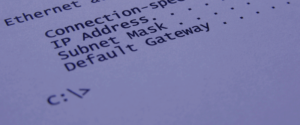
What do you mean I have two IP addresses? One day, as you’re poking around your computer’s networking preferences or maybe hooking up a new router, you might suddenly become aware of an interesting bit of information. There are two different IP addresses involved with you’re getting online and connected to the world. There’s the…

When you sign up with an Internet Service Provider (ISP), you will either end up with a static IP address or a dynamic IP address. What’s the difference between the two? Haven’t you ever marveled at how the internet knows how to get information directly to your computer? It’s not magic: your IP address is…
There are three kinds of Internet users: 1) those who are up to speed on the networking technology that connects us to the Internet and the world; 2) those who let their spouse, friends or neighbors set up and fix their home networks for them at home; and 3) the rest of us who are…

Not too many years ago, a home could function normally with just one computer with a direct connection to a modem and the Internet. Not anymore. Today a family of five can easily have a desktop computer, a few laptops, a couple of tablets and several smartphones. And everyone wants to be online to check…

Every device on your network needs an IP address, yet many IT and security teams neglect how those addresses are tracked and managed. Enter IP address management (IPAM)—the process of planning, tracking and managing who gets which IP, where and when. Why is this crucial? Because without it you risk IP conflicts, hidden devices and…
Although physical MAC (Media Access Control) addresses are permanent by design, several mechanisms allow modification, or “spoofing”, of the MAC address that is reported by the operating system. This can be useful for privacy reasons, for instance when connecting to a Wi-Fi hotspot, or to ensure interoperability. Some internet service providers bind their service to…
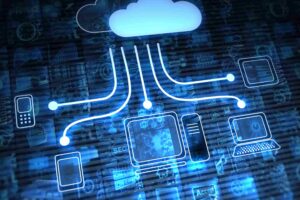
What Is IP Addressing in Cloud Computing? IP addressing in cloud computing is how cloud providers assign and manage IP addresses for virtual machines, containers, and other resources running in their infrastructure. Think of it as the digital addressing system that lets cloud resources communicate with each other and the outside world, but with a…

Free WiFi is everywhere, but not all connections are created equal. Whether you’re a digital nomad, remote worker, or just trying to save on data, understanding the security trade-offs of different WiFi options can protect you from identity theft, data breaches, and worse. This guide ranks free WiFi sources from safest to riskiest, so you…
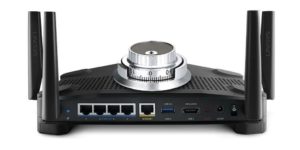
Most of us are so happy to have the convenience of wireless networks that we tend to overlook the fact that they are very unsecure. For example, with a wired network, you have to be directly connected to the network. But with a wireless network—where the connection is made possible by a radio signal—anyone within…
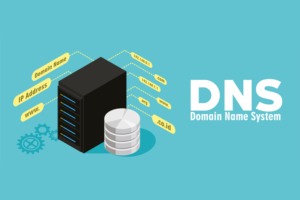
What Is SmartDNS? With an array of global sites hiding behind the locked doors of geo-blocking, using a SmartDNS is the key to accessing that restricted content and essentially unblocking websites. Before delving into the world of SmartDNS use, however, it is beneficial to first educate yourself on what a SmartDNS really is, how it…

In today’s world, where much of our lives are online, protecting our digital information has never been more critical. Traditional network security—think of it like a castle with a moat—assumes everything inside is safe. But as technology evolves, this old approach often falls short. That’s where Zero Trust Architecture (ZTA) comes in, challenging these old…

You hear about new types of cyber attacks almost daily. As soon as information security experts have figured out how to deal with one threat, another pops up. One of the latest tricks used by hackers is called MAC address spoofing. MAC spoofing can be used to steal private data from unsuspecting victims. If you…

Not all hackers are after attention. Some just want money. You might think, and hope, that being aware of all the latest scams and tricks that are on the Internet will keep the online thieves away. After all, if you’re smart AND you know what to look for, you won’t fall for somewhat obvious scams…

Having access to the internet has become so common now that it’s considered a basic human right by many. But that doesn’t mean setting up and maintaining a home network is easy. Home networks can’t work without specific network devices, which you probably have at least some awareness of. If you have internet access at…

We talk a lot about taking the right steps to protect your identity, data, and privacy when you are online. Those actions are definitely important, and you should always proceed with caution when you are browsing, shopping, learning, banking, doing business, working, or doing anything else online. However, you should also know that if you…

The days of weak wireless signals at home may be a thing of the past. Nothing is more frustrating than having a weak, inconsistent and troublesome Wi-Fi network at home, because today’s households (working moms and dads, active kids, involved young adults) rely more on their smart devices and laptops than they do on their…

Hackers and others maybe utilizing “packet sniffing” to read your personal data You’ll often hear that you should be careful when using the Internet, because you never know who’s spying on us. Indeed, there are some Internet gurus out there (more than you might think) who are convinced that most Internet Service Providers (ISPs), the…

In an era where cyber threats are a constant risk rather than a possibility, businesses cannot afford to be complacent about cybersecurity. This is why it is crucial that you understand what pentesting is. Penetration testing, also known as “pen testing,” serves as a vital diagnostic tool to identify and resolve security weaknesses before hackers…

Having an internet connection has become a basic necessity for modern life, but it’s not always enough in itself. For some of us, we need to not only be connected but to have a fast connection. Think about how frustrated you get when there’s lag while you’re trying to work, stream a video, or play…

The Internet, a vast network of interconnected devices, relies heavily on the efficient management of IP (Internet Protocol) addresses to function seamlessly. Within the spectrum of IP addresses, there exists a subset known as “reserved IP addresses.” These addresses, set aside for specific purposes, play a crucial role in maintaining the integrity, security, and functionality…

Before we delve into the world of routers, you need to understand what a broadband connection is and how it works. According to Dictionary.com, broadband is “a high-speed, high-capacity transmission medium that can carry signals from multiple independent network carriers. This is done on a single coaxial or fiber-optic cable by establishing different bandwidth channels.…
Though not too many people know about or use it, there is a hardware/software combination that lets you use the Internet to make phone calls. In fact, in many cases, you can make free voice calls anywhere in the world. That’s known as Internet telephony. And that’s where a special term comes into play—”SIP.” Short…
Hackers Took Over My Router and I Had NO Clue. Graphic artist was a victim of DNSChanger virus. Are you safe? We’re all aware that hackers can do something to our computers through a network virus. But did you know they can attack your router—the key to directing all your Internet activity? More than that,…

You ran a speed test, and everything looks great: download and upload speeds are high, ping is good. Yet…streaming still buffers every few minutes, video calls freeze, gaming lags, and web pages take forever to load. What gives? This is a surprisingly common problem. Many of us expect that a high Mbps number guarantees a…
As we all know, computers are a combination of hardware (computers, monitors, and modems/routers) and software applications or programs (word processing, spreadsheet/accounting programs, etc.). The same goes for networking: Both hardware and software are involved—and the heart of the networking software, which is built into your computer, is TCP/IP…the international standardized guidelines for network communications.…
When it comes to dealing with Internet device connections and networks, most of us have at least heard of the technological terminology involved. USB cables, WiFi, routers, and ethernet connections are used by everyone — even when we don’t necessarily understand how they work. When discerning what connections will work best for your needs, you…

For as long as there are computers connected to the Internet, there will be hackers trying to make life miserable for everyone. That’s why firewalls were created for computer users: to block a hacker’s attempts to break into our computers and computer networks, either at work or at home. A firewall is a protective system…

The internet as we know it today simply would not function without protocols. Protocols are sets of rules and procedures that allow different computers and networks to communicate with each other seamlessly. Just like languages have grammar and vocabulary, data networks rely on protocols to provide a common framework for organizing and transmitting data. Let’s…
Each individual computer runs on multiple ports. For instance, when a person opens his or her email, the computer’s server will open a port through which new mail will be downloaded through a connection to the email server. Certain ports on an individual’s personal computer are open continually, making them a target for any potential…
For most of us, phone calls and Internet connections seem to happen instantaneously. It feels as if our computer has a direct line to our favorite websites. Web pages load so fast that it seems that we must have a direct connection to any computer, even one across the country. But we don’t. Not since…

The first computer virus, known as the Creeper Program, was created as a security measure to test self-replicating computer code. The aptly-named Creeper accidentally infiltrated computer hard drives in 1971, and then it tried to remove itself — its intent wasn’t malicious. Sadly, since that time, intentional viruses have become increasingly sophisticated. They are a…
A firewall is a security device that can be a software program or a dedicated network appliance. The main purpose of a firewall is to separate a secure area from a less secure area and to control communications between the two. Firewalls can perform a variety of other functions, but are chiefly responsible for controlling…

Better question: Why would you use a proxy at all? The topic of proxies can get confusing fast, making it hard to figure out what they are, what they do and why anyone would use one. Just so you know, using a proxy revolves around you taking steps on your computer to help you either:…

What are the risks involved if I use one? An unsecured network most often refers to a free Wi-Fi (wireless) network, like at a coffeehouse or retail store. It means there’s no special login or screening process to get on the network, which means you and anyone else can use it. What that means to…

You don’t have to worry about VPN protocols if you’re researching VPNs for basic safety and security. The default protocol should work perfectly fine for you.
The Internet Assigned Numbers Authority (IANA) assigns every Autonomous System (AS) on the internet a 16-digit Autonomous System Number (ASN). . This identification number is what allows independent systems on the internet to both control the routing information within their own networks and exchange routing information with other ISPs. In order to understand the Autonomous System…
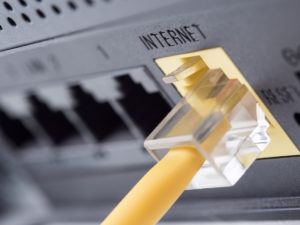
Point To Point Protocol (PPP) and Point To Point Protocol over Ethernet (PPPoE) are network protocols that allow data communication between two network entities or points. Throughout the documentation for both protocols, points are referred to as nodes, computers, or hosts. The protocols are similar in design with a major difference – PPPoE is encapsulated…
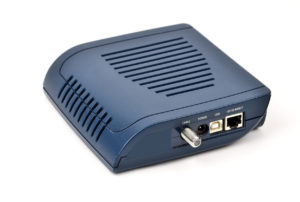
First of all, you need to understand what a broadband connection is and how it works. According to Dictionary.com, broadband is “a high-speed, high-capacity transmission medium that can carry signals from multiple independent network carriers. This is done on a single coaxial or fiber-optic cable by establishing different bandwidth channels. Broadband technology can support a…

A name is a label that is used to distinguish one thing from another. A person’s name, for instance, comprises a set of alphabetic characters that allows a person to be individually addressed. Computers are also named to differentiate one machine from another and to allow for such activities as network communication. Computers have always…

A network gateway is a node in a computer network that provides a key stopping point for data that is traveling to or from other networks. Thanks to gateways, we are able to communicate online by sending data back and forth. Without a gateway, the internet would not be of any use to us! Additionally,…
A link-local address is a network address that is valid only for communication within the local network segment or the link that a device is connected to. These addresses are not routable, meaning they cannot be used to communicate with devices outside the local network. Link-local addresses are used primarily for automatic address configuration, neighbor…
Whether you work in a wired network office or a wireless one, one thing is common for both environments: It takes network software and hardware (cables, routers, etc.) to transfer data from your computer to another, or from a computer thousands of miles away to yours. In the end, to get the data you want…
To the uninitiated or the otherwise-gifted computer user, technical geek-speak can be rather frustrating and aggravating. When instructions are filled with such things as “port,” “TCP,” “UDP,” and other acronyms or technical terminology, the user feels more isolated and rarely finds a solution or comprehension. Fortunately, comprehension is just moments away. Port Picture a bay…
As you may know from other articles on this WhatIsMyIPAddress.com website, an IP address contains information that identifies the network a computer is connected to, as well as the computer (or “host”) itself. The IP address system provides a way of networking hardware to recognize the network as well as the host segments of an…
In its simplest form, a packet is the basic unit of information in network transmission. Most networks use TCP/IP as the network protocol, or set of rules for communication between devices, and the rules of TCP/IP require information to be split into packets that contain both a segment of data to be transferred and the…

Even those of us who don’t work in IT or a tech-related field might recognize the term IP address (Internet Protocol Address). A clear IP address definition makes the rest of the categories easier to follow, since every type is still built on the same core idea of identification and routing. Although we may not…
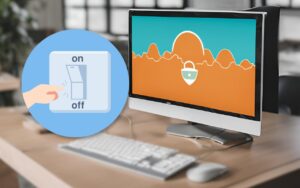
A Virtual Private Network (VPN) is essential for anyone who wants more security on the Internet because it addresses the top three online concerns: security, privacy, and anonymity. Along those lines, a VPN kill switch is a feature you want on your Virtual Private Network. It helps ensure your IP address isn’t accidentally and unexpectedly…

Public Wi-Fi is great. It’s convenient, and it’s free — it always feels good when you can save a few megabytes of your mobile data. But do you ever stop and think for a moment before connecting to a public Wi-Fi network? The emergence of evil twin Wi-Fi hotspots indicates that you should. Evil twin…
What is DD-WRT Firmware? DD-WRT is a Linux-based firmware project developed to enhance the performance and features of wireless Internet routers. Launched in 2005, DD-WRT is one of the most popular alternative router firmwares due to its longevity of existence and support for a large array of devices, including those running OpenWRT. As of now,…
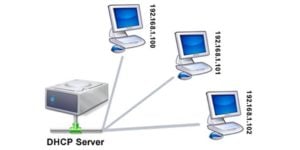
Every time you use your computer or smartphone to go online, dynamic host configuration protocol (DHCP) is working in the background. While you probably will not have to configure your DHCP settings unless you’re a network administrator, it’s still good to know what DHCP is and how it works. In this guide to DHCP, we’ll…
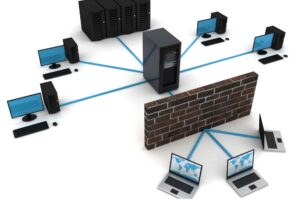
IP whitelisting restricts network or application access to a pre-approved list of IP addresses, blocking all other connection attempts. This security measure works like a guest list that only allows specific, verified addresses to reach certain protected systems. You may need to learn about IP whitelisting if: How does IP whitelisting work? Once you have…

If you’re not a network administrator and/or you don’t run a help desk, do you need to know what localhost means? The answer is no. If you want to impress the IT people who come to fix your computer or get your network working again, you may want to know what localhost is. If you’re…
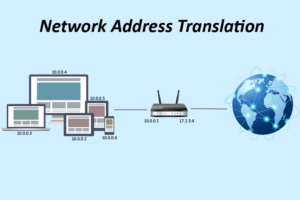
The definition of Network Address Translation Network Address Translation (NAT) is a service that is used in routers. Its purpose is to translate a set of IP addresses to another set of IP addresses. If you are viewing this article on the internet on the WIMIA website, there’s a very good chance that you are…
Port forwarding, or tunneling, is the behind-the-scenes process of intercepting data traffic headed for a computer’s IP/port combination and redirecting it to a different IP and/or port. A program that’s running on the destination computer (host) usually causes the redirection, but sometimes it can also be an intermediate hardware component, such as a router, proxy…
Even though most people aren’t going to need to know the difference between a URL and a URI, it really matters in a few specific situations! Understanding the difference between URL vs. URI is important in a number of contexts, especially for web developers, IT professionals, and anyone working with internet technologies. URL vs. URI:…
IANA Port Number List The port numbers are divided into three ranges: the Well Known Ports, the Registered Ports, and the Dynamic and/or Private Ports. The Well Known Ports are those from 0 through 1023. DCCP Well Known ports SHOULD NOT be used without IANA registration. The registration procedure is defined in [RFC4340], Section 19.9.…
Most people look at a computer and see it as a machine that you operate with a keyboard and mouse and that connects to a monitor and printer. What most of us overlook is that the computer is the brains of the outfit and the other parts—the printer, modem, keyboard, etc.—are simply connected to the…
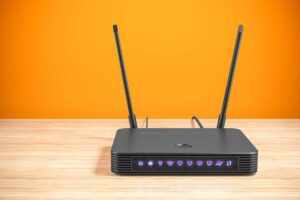
In today’s digital landscape, protecting your online privacy is more important than ever. With cyber threats, data tracking, and geo-restrictions becoming common concerns, VPNs (Virtual Private Networks) have emerged as a go-to solution for securing internet activity. But while most users opt for VPN apps on their individual devices, there’s a far more efficient and…
From the moment we wake up to check our smartphones to streaming movies before bed, WiFi is working in the background, keeping us connected, informed, and entertained. It’s revolutionized the way we work, learn, and interact, allowing us to access the vast resources of the internet from virtually anywhere. But what is Wi-Fi? How does…
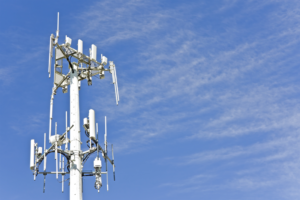
Broadband internet service is a form of high-speed internet access. In fact, the name “broadband” has come to be synonymous with high-speed internet use in general. Since speed is measured by bit rate, the number of bits processed per unit of time, broadband internet service is defined as being 256 kbit/s (kilobits per second) or…
Setting up a wireless network for the first time. If you haven’t set up a wireless network at home yet, you should give it some thought. With the advances of technology over the past several years, it has gotten pretty easy to set one up. But more than that, because so many people these days…
Please be aware that the use of proxy servers without the express permission from the owner of the proxy server may be illegal in some states and/or countries. Use them at your own risk. Use your favorite search engine and search for ‘proxy server list’. You’ll find many sites with lists of proxy servers, their…
They look alike, these two small pieces of plastic hardware that sit on the desks of most homes. With a quick glance, you might even think they’re two of a kind. Here’s why: They have plugs and jacks on the back that look exactly alike They’re about the same size and shape They both have…
Networking allows computers to share data. Connecting all your devices is convenient but it may also open you up to hacks and cybercrime if you don’t do it correctly. Read these articles to learn the basics of computer networking, including how to secure your router and Wi-Fi.