
Understanding Firewalls: Types and Functionality
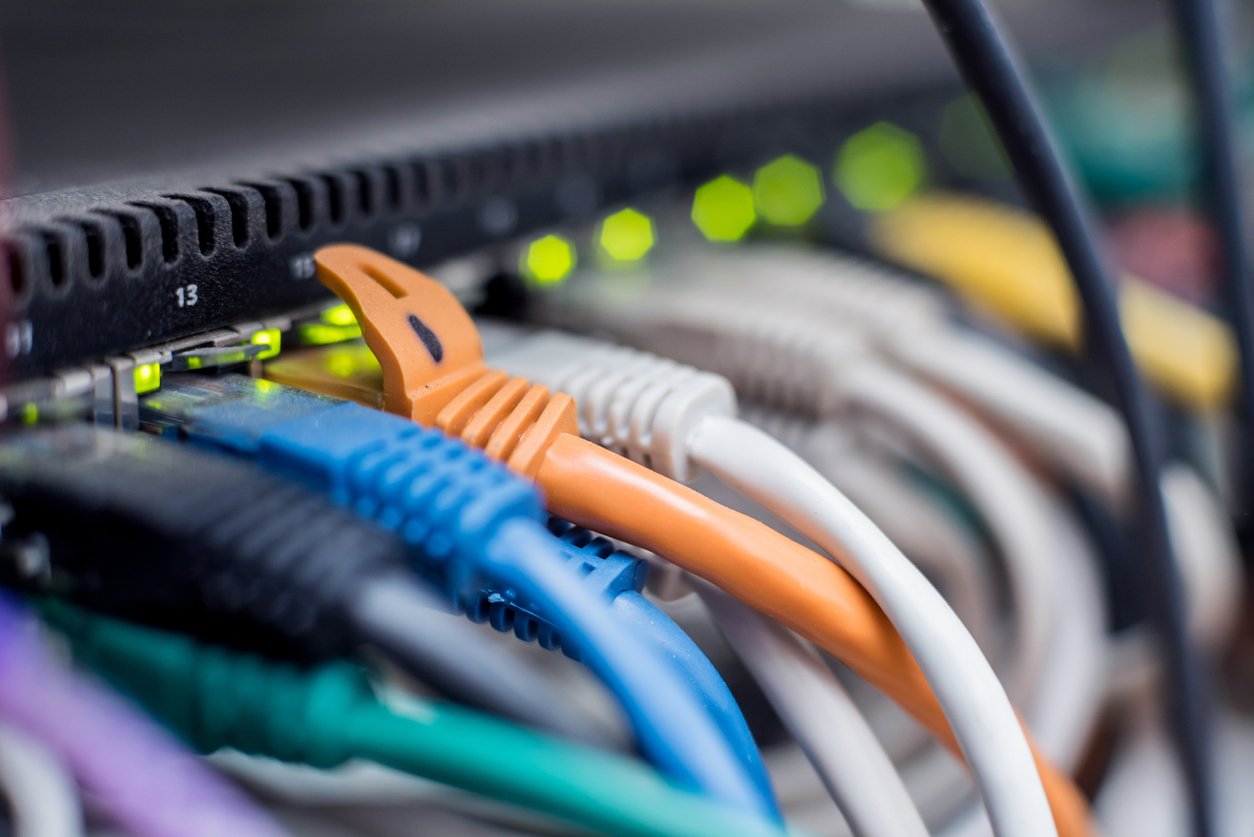
A firewall is a security device that can be a software program or a dedicated network appliance. The main purpose of a firewall is to separate a secure area from a less secure area and to control communications between the two. Firewalls can perform a variety of other functions, but are chiefly responsible for controlling inbound and outbound communications on anything from a single machine to an entire network.
Software Firewalls
Software firewalls, also sometimes called personal firewalls, are designed to run on a single computer. These are most commonly used on home or small office computers that have broadband access, which tend to be left on all the time. A software firewall prevents unwanted access to the computer over a network connection by identifying and preventing communication over risky ports. Computers communicate over many different recognized ports, and the firewall will tend to permit these without prompting or alerting the user. For example, computers access Web pages over port 80 and use port 443 for secure Web communications. A home computer would expect to receive data over these ports. However, a software firewall would probably block any access from the Internet over port 421, over which it does not expect to receive data. Additionally, port 421 has been used by certain Trojans (a type of malware) in the past. Software firewalls can also detect “suspicious” activity from the outside. They can block access to a home computer from an outside address when activity matches certain patterns, like port scanning.
A software firewall also allows certain programs on the user’s computer to access the Internet, often by express permission of the user. Windows Update, antivirus software, and Microsoft Word are a few programs that a user might legitimately expect to access the Internet. However, a program called gator.exe that is attempting to access the Internet when it shouldn’t be running might be reason for concern, so the user could decline access for this program. This is a useful feature when spyware, adware or some type of malware is suspected.
Some software firewalls also allow configuration of trusted zones. These permit unlimited communication over a wide variety of ports. This type of access may be necessary when a user starts a VPN client to reach a corporate intranet.
One drawback to software firewalls is that they are software running on a personal computer operating system. If the underlying operating system is compromised, then the firewall can be compromised as well. Since many other programs also run on a home computer, malicious software could potentially enter the computer through some other application and compromise the firewall. Software firewalls also rely heavily upon the user making the right decisions. If someone using a software firewall mistakenly gives a keylogger or a Trojan permission to access the Internet, security on that machine is compromised even though there is nothing wrong with the firewall itself.
There are many different brands of software firewalls, each with their own features. Some examples include ZoneAlarm, BlackICE, and Kerio.
Hardware Firewalls
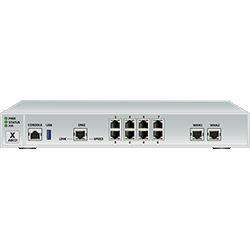
Hardware firewalls are more complex. They also have software components, but run either on a specially engineered network appliance or on an optimized server dedicated to the task of running the firewall. The operating system underlying a hardware firewall is as basic as possible and very difficult to attack. Since no other software runs on these machines, and configuration takes a little more thought than clicking on an “allow” prompt, they are difficult to compromise and tend to be extremely secure.
A hardware firewall is placed between a network, such as a corporation, and a less secure area, such as the Internet. Firewalls also can separate more secure networks from less secure networks, such as one corporate location within a larger corporate structure. Versions of hardware firewalls are available to home users who want stronger protection from potential Internet attacks. There are many different default configurations for these devices – some allow no communications from the outside and must be configured, using rules, others (like those available for the home market) are already configured to block access over risky ports. Rules can be as simple as allowing port 80 traffic to flow through the firewall in both directions, or as complex as only allowing 1433 (SQL server) traffic from a specific IP address outside of the network through the firewall to a single IP address inside the network.
Firewalls are also used for Network Address Translation (NAT). This allows a network to use private IP addresses that are not routed over the Internet. Private IP address schemes allow organizations (or even household networks) to limit the number of publicly routed IP addresses they use, reserving public addresses for Web servers and other externally accessed network equipment. NAT allows administrators to use one public IP address for all of their users to access the Internet – the firewall is “smart” enough to send the requests back to the requesting workstation’s internal IP. NAT also allows users inside a network to contact a server using a private IP while users outside the network must contact the same server using an external IP.
In addition to port and IP address rules, firewalls can have a wide variety of functionality. They can also act as caching servers, VPNs, routers, and more. Some examples of hardware firewalls are CheckPoint, Cisco PIX, SonicWall, Contivity from Nortel, and Linksys (for the home market).
Firewalls are vital to network management. Without this control over computer and network access, large networks could not store sensitive data intended for selective retrieval. Firewalls are also very important for home broadband users – without a home version of one of these products, your personal data is at risk.
The Role of Firewalls in Network Security and How They Work
Now that we’ve discussed what software and hardware firewalls are, let’s take a closer look at how they work and the important role they play in protecting your devices and networks.
Following safety rules.
The IT (information technology) or network manager sets up specific rules that the firewall will use to filter out unwanted and dangerous intrusions. For example, the firewall could shut down any nonessential ports that a hacker might probe for and open (given the opportunity). The network manager might also decide to block out all inbound traffic except for email or data that’s been requested by someone inside the firewall.
As data starts to travel in and out of the network, the firewall puts the rules into action through a number of safeguards:
Packet filtering.
The data that we all send out over the Internet—our emails, transactions and more—travels in packets. These packets are small chunks of data, along with information about where the data originated and where it’s headed. The firewall takes a close look at every packet. If the outbound address of the data is listed on banned Internet locations (such as a porn site), the firewall will block it. This type of filtering is used on small business or home networks.
The proxy part.
All of the incoming and outgoing network traffic goes through a proxy, which is a file server that is outside the firewall. Following the filtering rules established, the proxy server examines all data and forwards all packets that are in line with the rules, and won’t forward any that aren’t. If a harmful transmission of data has managed to sneak past the filters, the proxy takes the hit and protects the network.
State inspector.
The firewall takes a close inspection of key parts of a packet, comparing it to a database of known safe data. To be considered acceptable, a data packet must look like those which the firewall has seen before…and allowed through. Data that passes inspection is sent by the firewall to its ultimate destination. Packets that fail go nowhere and are written over and pushed aside by the newer data packets that follow.
On the alert.
When the firewall senses an intruder trying to get into the network, it will stop the attack. It will also send the computer user a message, usually in the form of a pop-up window on their monitor. It will say something like, “There has been a recent attack against your system.” It will also provide a link that allows you to see more details on the attack, just in case the IT manager wants to explore it.
The good, the bad and the ugly.
Not only can a firewall prevent attacks, but it also can provide a history of all data that has passed through it. All intrusions or attacks, for example, are recorded. Usually the IP address of the computer sending the attack is identified and so is the type of attack that was sent.
This is highly valuable to IT network managers in a business setting. A data history can also be worthwhile to an Internet Service Provider, allowing them insights into the volume and type of traffic on their network.
As you can see, a firewall is a complete security resource, working invisibly—and sometimes not so invisibly—behind the scenes to keep your network protected and to keep you productive.