
Fake Businesses on Google Maps May Lead You Into a Scam
Imagine this: You’re coming home late one night, exhausted and ready to fall into bed, and as you try to open your front door, the key breaks. You’re locked out. What do you do? If you’re like most people, you get out your phone, search for a 24-hour locksmith, choose one with a local address and good reviews, and call. But that locksmith might not really exist. Scammers, marketers, and shady business owners have figured out how to game the system to put fake businesses on Google Maps and get them to show up when you search. It’s crucial to know how to spot a suspicious listing before you call.
See Google Maps Scams with Mike Blumenthal for a complete transcript of the Easy Prey podcast episode.
Mike Blumenthal is a co-founder and analyst at Near Media, a search engine optimization (SEO) agency. His specific focus is on business reputation, reviews, and local search. Local digital marketing – sing digital tools like search, ads, and social media to generate local traffic for local businesses – is a longstanding interest and passion. Nicknamed “Professor Maps,” Mike has been tracking fake and scam businesses on digital maps since 2007. He also hosts Near Media’s Near Memo podcast.
Mike worked in his family business until 2001, when the rise of the internet made the company his grandfather built go broke. Mike saw the potential in the new technology, though, and pivoted online. He built skills in SEO and digital marketing. Around 2004, he became interested in local digital marketing – u. He lived in a rural area in New York state, and to get 250,000 people required nine Yellow Pages books. The potential of local digital marketing, especially local search, is still something he’s passionate about.
How People Abuse Maps and Local Search
Mike discovered the first large-scale problem with fake businesses on Google Maps in 2008. Thousands of fake locksmith locations were all over Google Maps. Mike has a famous screenshot where Manhattan looks like it has chicken pox. Every single block had three to six little red dots of locksmith locations. Most locksmiths only have one location. But they had discovered that local digital marketing could generate leads based on proximity. So they created thousands of fake locations so they could be as close as possible to as many people as possible.
Another abuse that has happened since then is hijacking listings. This especially happened with hotels. People who made a commission from making vacation bookings would hijack hotel listings on Google Maps and put in their phone number. When customers tried to call the hotel directly, they’d instead get a third party who would make a commission on their booking.
This isn’t a thing of the past, either. Just last month, the Department of Justice filed a lawsuit against a plumbing and HVAC company in Illinois that they accuse of having over 15,000 fake locations with fake reviews. Fake reviews go hand-in-hand with fake businesses on Google Maps. Spammers are quick to post good reviews for fake listings.
Fake reviews and fake locations often go hand in hand.
Mike Blumenthal
These fake businesses aren’t always criminal. Sometimes they’re legitimate businesses stooping to shady practices to get more customers. But some of them are scams. In 2008, some of the locksmiths did a bait-and-switch scheme. They’d tell you it would be an $80 fix, but once they actually get out there it would suddenly be a $500 problem, and if you don’t get it fixed your door won’t lock at all. These kinds of scams are still happening.
Why People Put Fake Businesses on Google Maps
For the past eleven years, Google’s local algorithm has been geographically limited. If you’re on your phone and you search “locksmith,” you don’t have to add “near me” – Google will automatically prioritize businesses near your location. The more locations a business has, the more likely that one of them will be near someone who’s searching for that kind of business. Some business owners and marketers try to game the system by putting fake business locations on Google Maps. They use fake addresses, real addresses where the business isn’t, people’s homes, and anything else they can think of.
As with most things related to spam, scams, and digital fakes, the motivation is money. Fake listings hurt real businesses by stealing potential customers. And it’s benefitting those creating the fake ones. The recent DOJ case claimed $79 million in consumer losses. That’s $79 million that consumers spent on services falsely advertised as close to them – and $79 million that actual local businesses didn’t get. That’s a lot of money that they made from fake businesses on Google Maps!
Over the last few years, Google has tried to make it harder for businesses to be successful with fake listings. New listings, especially if they’re in industries that are flagged as being high risk for this to happen, may not be able to get reviews for several months. This increases the cost for creating fake locations, since they won’t really rank in searches or pull in customers for a while. But Google does their risk assessment with an algorithm and aren’t willing to have humans look at it. So the problem persists, and will persist until Google changes the process.
How Fake Listings Get Around Google’s Verification
In 2007-2008, Google was conflicted about whether they should allow service-only businesses – ones without a physical location and address – to have listings. But they eventually decided that having more listings was better for them. It satisfied customer demands and gave them more business owners who might want to buy AdWords, Google’s business marketing product. Initially, that meant you could verify your business with a PO box or at a UPS Store, which made it easy to create fake businesses. Those methods aren’t options anymore. But there are still methods of getting around Google’s verification processes. And whatever options they have, unscrupulous people are going to try it.
Whatever these people can figure out how to get by Google, they try to get by Google.
Mike Blumenthal
For a while, Google mailed postcards to business locations for verification. Spammers used mail forwarding services to get around that. Now they do video verification, which usually requires a person to be on site. But last year Google sued someone for doing the video verification with a fake set. And it’s still possible to get around things like that. After all, the plumbing and HVAC company in Illinois still managed to create 15,000 fake locations despite the verification process.
How to Avoid Fake Businesses on Google Maps
If you’re a consumer, fake businesses on Google Maps are a real risk. Whether they’re real companies that aren’t as close as they’re pretending, shady businesses that will pull a bait-and-switch on you, or outright scams, you don’t want to call one of them when you need support. So it’s essential to know how to spot and avoid suspicious listings.
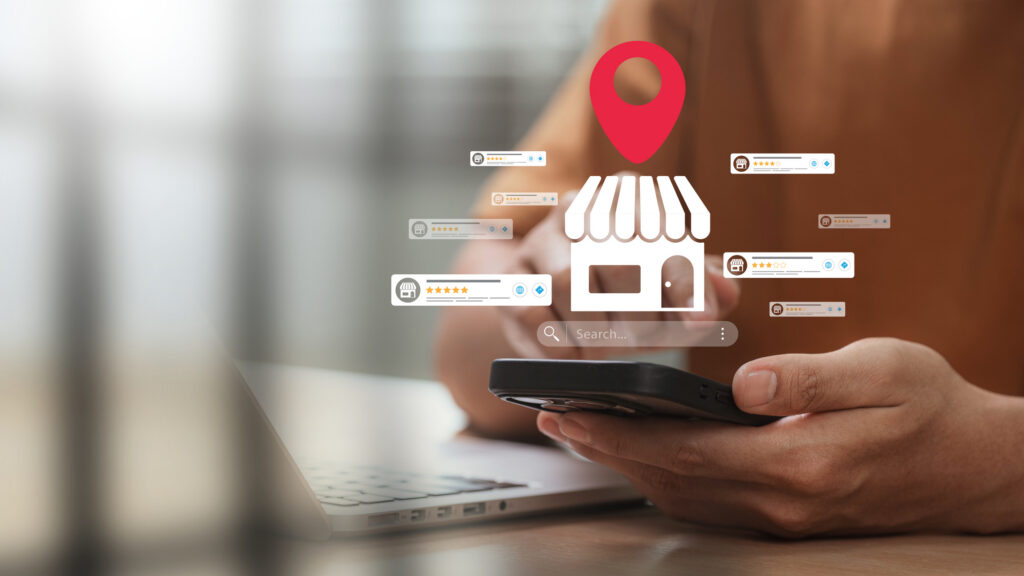
Mike thinks your best defense is to not use Google for any high-risk categories like home services. Plumbing, roofing, garage door service, housecleaning, any kind of home service, don’t search on Google. Get recommendations from people you know, look other places, find one you trust, and then keep them. Put their number in your contacts and don’t search for others.
I would recommend that people not use Google to find a plumber. It’s the only safe bet.
Mike Blumenthal
If you do have to use Google, check them other places. Look them up on the Better Business Bureau – not just that they’re listed, but that they’re a member. You can look at reviews, but they can be fake. Especially with generative AI, fake reviews can be believable. You can also search around the web. Legitimate businesses should have an online presence outside of Google. Another test is how they answer the phone. If you’re calling Joe’s Plumbing and they answer something generic, like “plumbing” or “your local plumber,” that indicates they don’t know which location you’re calling about and the listing is fake.
Ultimately, though, despite all these tips, it’s a risky thing. There are a lot of fake businesses on Google Maps, and there’s no guarantee you’ll be able to spot a fake. Unfortunately, the only safe bet is to just not use google when looking for businesses.
When the Pro You Need Isn’t in Your Contacts
Not using Google is great advice when you have time to ask for recommendations and research companies. But if you’re in a situation where you need services immediately and you have to look online, it’s important to learn how to look the right way.
Google has the best database of legitimate business listings. But there are also a lot of fake businesses on Google Maps, and it can be really hard to tell the difference. Apple and Yelp both require more verification than Google. But both of them require businesses to have addresses, which could be a challenge for industries where companies may not have a physical location.
Google probably has the best database of good listings, but the problem is it’s hard to tell when a listing is real and when it’s fake.
Mike Blumenthal
If you have to use Google, make sure to check the company’s reviews on other sites, too. Choose businesses that have photos on their listing that show branded trucks and uniformed employes. And make sure the people who show up have the same branding. Sometimes the people dispatching people to leads from these fake listings don’t know what listing it’s from. So either they avoid branding or they hope you won’t notice it’s wrong.
Google recommends businesses have customer journey photos on their listings so you know what to expect from a company. But it doesn’t matter what Google recommends. The way the system currently works, it’s still profitable to put up fake listings. And Google’s systems still aren’t protecting against it.
Currently, the way Google works it’s easy enough to get a fake listing that people are doing it for profit.
Mike Blumenthal
Where AI Can Help
Spammers and scammers can use AI to make their fake businesses on Google Maps look legitimate. But AI tools can actually be useful to help you sort through listings and identify suspicious things, too. Google Maps has a new AI feature called Ask Maps, which can do a lot of things. Mike thinks it’s especially useful for looking at negatives.
A handful of bad reviews in a listing with mostly positive reviews won’t change the company’s star rating much. But if you ask AI to go through the reviews and give you a summary of negative things, or to list both the positives and negatives, you’ll be able to see trends. This could help you spot if something looks fishy – or if there are a handful of real negative reviews among many fake positive ones. Even if the listing is legitimate, it can help you look for specific things. For example, if you’re really concerned about the plumber tracking mud across your carpet, you can see if other customers have reported a company doing that.
AI can also be helpful for comparing businesses or searching for different ones. You can ask it to compare the positive and negative experiences from reviews for two or three businesses. You could also list the criteria you’re looking for – including more complicated ones like “don’t have any reports of tracking mud across the floor” – and ask the AI to list businesses that meet those criteria. AI is great for complicated comparisons like that.
Unfortunately, though, AI isn’t perfect. It may misinterpret some data. And reviews that are fake, given under pressure, or where the customer got some kind of award or incentive for reviewing may skew it. So it’s still important to keep your eyes open. As always on the internet, buyer beware.
How to Stop the Scourge of Fake Businesses
In Mike’s mind, Google Maps is a defective product that allows too many scammers and spammers. He’s been trying for a while now to get a business that’s been harmed by a fake listing to sue Google on the grounds of defective product. Section 230 is a law that protects Google categorically against things that other people post on their platform. This protects them from being liable for all the fake businesses on Google Maps. But if the argument is that Google Maps is a product and it’s defective, Section 230 doesn’t apply. It’s still a long shot, but Mike would like to see that argument in court.
On the consumer side, you can report fake listings to Google. It doesn’t feel useful because it’s hard to know where those reports go and if they change anything. But it’s still good to have that record. You can also report them to the FTC and to the Attorney General. If they get enough reports, these entities will do something.
Publicity really makes a difference. Google tracks their publicity, and when a problem becomes public enough, they fix it – at least temporarily. Spammers and scammers are always going to find and exploit bugs and loopholes. We’ve seen that with email spam, too. A lot of that comes from the fact that the people designing email didn’t think about how it could be abused, so they didn’t add protections. The same is true with Google’s business listings. But Google has ways they could manage it.
The email [spam] problem largely comes from a design of email that didn’t anticipate abuse. And as such, it allowed abuse. I think the same is actually true with Google, although they have the resources to manage it.
Mike Blumenthal
Business Owners Shouldn’t Rely on Google Maps
If you create a new business listing in a high-risk category, Google will filter or limit your reviews for the first six months or so. This can be challenging for legitimate new businesses. If you’re a plumber who just finished your apprenticeship and started your business, and you’re getting customers but none of the reviews are getting published, that’s frustrating. But Mike’s advice is that you should think of Google as gravy. Gravy goes great on top of potatoes, but you should make your own potatoes.
Google is not a trustworthy business partner. It definitely can generate leads for you. But you need a way to generate leads outside of their control. Mike recommends text or email – get customers’ contact information and follow up with them periodically. (As a bonus, this lets you ask them for a review on Google later, when they’ll actually be published.) If you live by the algorithm, you also die by the algorithm. If the majority of your business comes from Google leads and Google changes their algorithm so they’re no longer suggesting you to people, you’re in trouble. Building a business is hard no matter what, and it takes time. Google can be helpful. But it can’t be your only tool.
Mike Blumenthal is a product expert on Google’s Google My Business Forum, and you can find him there. You can also find him with Near Media at nearmedia.co, where they have a free newsletter for lawyers and another for small businesses, hosting the podcast Near Memo, on Twitter @mblumenthal, and on LinkedIn. He also has an open email policy – if you have a question about this or a related topic, reach out at [email protected] and he’ll do his best to answer.
Related Articles
- All
- Easy Prey Podcast
- General Tech Topics, News & Emerging Trends
- Home Computing to Boost Online Performance & Security
- IP Addresses
- Networking Basics: Learn How Networks Work
- Online Privacy Topics to Stay Safe in a Risky World
- Online Safety
- Uncategorized
Fake Businesses on Google Maps May Lead You Into a Scam
Imagine this: You’re coming home late one night, exhausted and ready to fall into bed, and as…
[Read More]
What is a Chatbot? Here are Some Basic Facts and Views.
Still, it’s clear that once explored and used, ordinary people discover how extremely useful, powerful, and different...
[Read More]

What is ID.me? One Day, You Might Need to Know.
If a friend asked you, what is ID.me, would you be able to answer? You really should,...
[Read More]
Job Opportunity Scams: Beware If You’re Looking for Work!
Getting a message from a recruiter when you’re looking for work seems like a good thing. But…
[Read More]
Bail Scams Rely on Fear – Protect Yourself with Facts
Few things trigger fear and anxiety as quickly as a phone call saying one of your loved…
[Read More]