
Cybersecurity Basics: A Beginner’s Guide to Online Protection

Most of us spend the majority of our waking hours digitally connected. Even when we aren’t scanning social media, researching online, or checking email, our smart devices (including our phones, cars, TVs, and possibly home appliances) keep us plugged into the Internet.
When we’re online, we have access to infinite information about a multitude of subjects, can expand our personal and professional lives, and find content for every niche we desire. Unfortunately, there are bad actors lurking around every corner, too.
Cybercriminals create sophisticated schemes to attack unsuspecting targets and can wreak havoc on our lives.
The good news is that you don’t need to be an IT expert to avoid falling into online traps. By following even cybersecurity basics, you can take simple steps to increase your online protection and keep your personal data safe from malevolent scammers.
Understanding Cybersecurity Fundamentals
In 2024 alone, the global cost of a data breach reached an astronomical $4.88 million. And, 1.83 million customers were impacted by data breaches caused by supply chain cyberattacks.
The evolution of cyber threats means that cybercriminals can use a multitude of methods to target you for financial fraud, identity theft, and more. Luckily, even basic cybersecurity knowledge goes a long way to keeping your digital life safe.
What Are Cybersecurity Basics?
Cybersecurity basics offer people digital security by protecting confidential data, Internet-connected computer systems (including software and hardware), and digital networks from cyberattacks.
In practice, cybersecurity manages control access and optimizes policies, processes, and technology tools to combat cyber threats. This practice prevents unauthorized access and use to networks or systems.
Basic cybersecurity concepts can protect you from cyber threats like data breaches and phishing scams, to more malicious and devastating attacks like ransomware and spyware. For individuals and businesses alike, the importance of cybersecurity measures cannot be overstated. It’s crucial to seamless infrastructure operation and the protection of sensitive data.
Even basic cybersecurity protocols can help:
- Combat Operational Disruptions
- Enhance National Security
- Increase Digital Privacy
- Mitigate Cyber Threat Risks
- Protect Critical Infrastructure (including communication networks, gas pipelines, power grids, and transportation systems)
- Protect Against Financial Loss
- Safeguard Business Reputation and Consumer Trust
- Secure Financial Data, Personal and Confidential Information, and Intellectual Property
Cybersecurity basics for beginners
There are cybersecurity fundamentals that everyone with an Internet connection should know. Thankfully, you don’t have to do a deep dive into complex coding or cybersecurity theories to find a measure of protection.
Familiarizing yourself with these foundational principles can help you to gain peace of mind and avoid falling victim to cyberattacks.
Cybersecurity basics for beginners include:
- The CIA Triad: The CIA Triad is the foundation of cybersecurity and includes:
- Confidentiality: Implementing protocols that ensure only authorized individuals can gain access to confidential data and systems.
- Integrity: Managing data accuracy and completeness and preventing unauthorized data manipulation or modification.
- Availability: Keeping information and resources accessible to authorized users.
- Awareness of Common Cyber Threats: Malware, phishing, ransomware, spoofing, and spyware are just several examples of the cyber threats you may encounter. Understanding how to recognize the signs of these threats is foundational to your cybersecurity.
- Network Security: Ensure your personal and business devices are protected by a firewall and that your WiFi router and network are secure.
- Password Protection: Strong and unique passwords should be used for all of your accounts. For example, 12345a! is not considered a strong password.
- Phishing Scam Awareness: Phishing scams via emails are sent 3.4 billion times per day. You’ll be targeted by a phishing scam, regardless of the strength of your cybersecurity. Learn how to recognize and avoid phishing attacks.
- Risk Management: Learn how to recognize cybersecurity risks, identify potential network and system vulnerabilities, and how to mitigate them.
- Suspicious Links and Websites: Don’t click on links that aren’t from a verified, trusted source, and avoid suspicious websites that do not have an https:// address.
The Role of Cyber Security in the Digital World
You may come across references to cybersecurity that use two words rather than one. Do not fear! “Cyber security” and “cybersecurity” are synonymous, and play the same foundational role in the digital world.
Cybersecurity is often used in official or technical documentation. Cyber security may be used in informal, conversational settings but it isn’t incorrect and is also regularly used in written British English.
The role of cybersecurity is so vital to your digital life that taking even the most basic proactive measures matters.
Learn how to remain vigilant when encountering questionable websites and suspicious links. Don’t respond to unsolicited emails from unvetted senders. Use a different, strong password for each online account. These simple cybersecurity measures greatly increase your online protection and thwart multiple cyber threats.
Core Areas of Cybersecurity
There are many core areas of cybersecurity that can impact your daily life. However, the broad categories include application security, cloud security, cyber defense, and information security.
Each general category operates based on the key cybersecurity principles that help protect your digital information, networks, and systems from cyber threats. Here’s a more thorough breakdown of the core areas of cybersecurity:
- Application Security: Application security secures apps from the development stage onward to ensure functionality and to prevent application vulnerabilities from exposing users to cyberattacks.
- Cloud Security: Most everyday Internet users employ some form of cloud computing and cloud storage. If cloud platforms don’t have strong cybersecurity measures in place, bad actors can use platform vulnerabilities to steal your data. Cloud security addresses the unique challenges of these platforms and protects applications and data stored in the cloud.
- Cyber Defense: Cyber defense takes both proactive and reactive measures to thwart cyberattacks and mitigate cyber threats against data, networks, and systems. For example, firewalls and intrusion detection systems are both proactive forms of cyber defense. Reactive cyber defense measures manage and respond to attacks that have already occurred and might include incident response strategies, data recovery, network monitoring, network security, Security Information and Event Management (SIEM) systems, and system restoration.
- Information Security: This core area of cybersecurity protects the availability, confidentiality, and integrity of online information and includes access control, data encryption and data leak protection, and incident response planning. For example, multi-factor authentication, patch updates, and strong passwords are all forms of information security.
Network Security and Wi-Fi
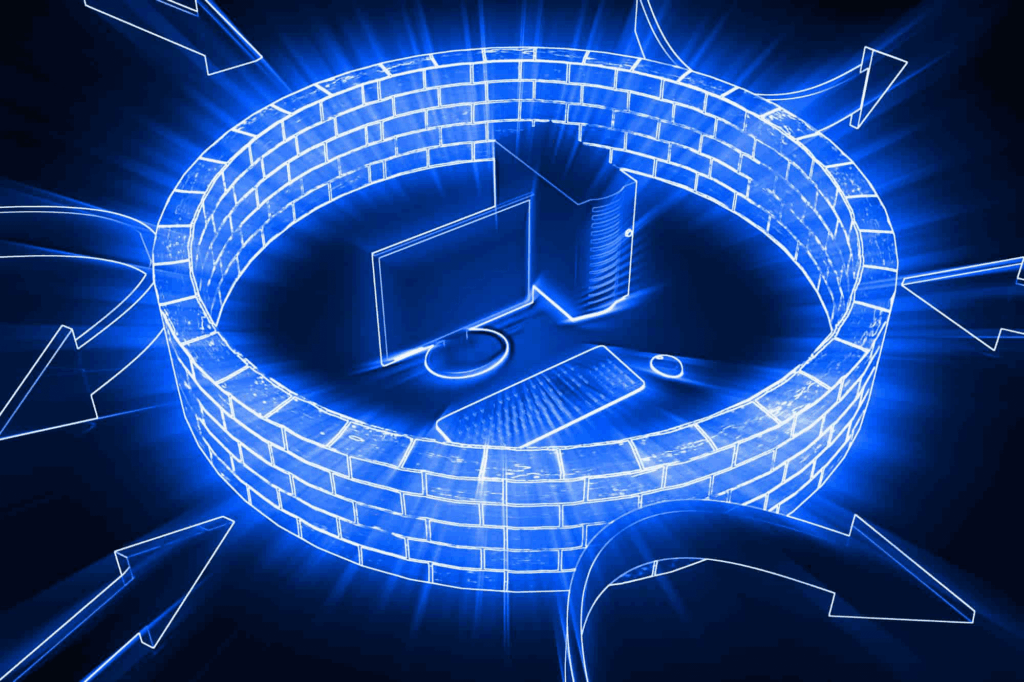
Network security ensures that your network infrastructure is secure to prevent unauthorized access and malicious infiltration of your networks. It protects the integrity and usability of digital data and networks and protects against misuse or data theft.
Network security is core to the CIA Triad and often includes the following to prevent breaches:
- Access Control Management
- Antivirus Software
- Data Loss Prevention (DLP)
- Email Security
- Firewalls
- Intrusion Detection and Prevention Systems (IDS/IPS)
- Mobile Device Security
- Network Segmentation (Isolation of network segments to limit data breach impact)
- SIEM
- Virtual Private Networks (VPNs)
- Web Security
- Wireless Security
Common Threats
Some examples of the most common network-based cyberattacks include:
Cross-Site Scripting (XXS)
Injection of malicious scripts into websites to redirect users to questionable sites and to steal their data.
DDoS (Distributed Denial of Service)
DDoS attacks flood systems or networks with bogus traffic in order to render them useless and unable to function for legitimate users.
Insider Threats
“The call is coming from inside the house!” Insider threats are particularly terrifying as they’re internal attacks launched against a business or institution. Insider threats may be inadvertent or intentional and can completely compromise your data, networks, and systems.
Malware
Malware, or malicious software, is one of the oldest forms of cyber threats. It refers to corrupt or malicious intrusive software that’s specifically designed to infiltrate and damage your computer network or system. For example, computer viruses, Trojan horses, and worms are all forms of malware. A particularly harmful and relatively new type of malware, maas chaos (Malware As A Service) is sold by organized groups on the dark web as a prepackaged cyberattack.
Man-in-the-Middle
A Man-in-the-Middle attack is essentially digital eavesdropping. A hacker intercepts your online conversation and uses it to gain access to your network and steal or alter data.
Phishing
Phishing attacks can be launched via email, direct messages, SMS messages, and more. These scams have grown increasingly sophisticated and may specifically target businesses as well as individuals. If you take the bait and respond to a message or click on a malicious link contained in a message, cybercriminals can trick you into sending money and sharing your personal or professional confidential data.
Ransomware
Ransomware attacks are often launched by organized criminal groups and will infect your network and operating system. A type of malware, ransomware encrypts large files or systems and renders them inaccessible until you pay a “ransom” to decrypt them.
SQL Injection
An SQL injection exploits vulnerabilities in database applications and infects a database with malicious code. This type of attack allows cybercriminals to gain access to and manipulate your network data.
Zero-Day Exploit
A zero-day exploit isn’t exclusively a network-based cyberattack, as it can be delivered through email and software vulnerabilities as well. However, this type of attack always exploits vulnerabilities that have yet to be detected by a hardware or software vendor. Thus, security patches aren’t available. In a network-based attack, a zero-day exploit is delivered by taking advantage of a vulnerability in a network protocol or other network-facing service, or in a web server. This type of attack is difficult to assess and identify as the network flaw is unknown and cannot yet be detected by security measures.
Data Security and Encryption Practices
Protecting your personal and professional data and implementing strategic encryption practices can significantly increase your cybersecurity. In 2024, over 1.35 billion people were negatively impacted by data breaches, and industries like healthcare and financial services are extremely vulnerable to exposed data.
Data protection is critical in personal and professional environments to protect sensitive data from corruption, loss, manipulation, misuse, and unauthorized access. This basic cybersecurity measure ensures regulatory compliance, privacy, security, and reduces financial, legal, and reputational liability.
The benefits of personal and professional data security and encryption practices include:
- Consumer Trust and Loyalty
- Confidentiality and Privacy Protection
- Data Breach Prevention
- E-commerce and Remote Work Protection
- Ensured Data Integrity
- Fraud and Identity Theft Prevention
- Increased Regulatory Compliance
- Intellectual Property Protection
- Prevention of Financial Loss and Legal Consequences
- Reduced Liability Risk
- Renders stolen data useless without a decryption key
- Secured Digital Communication
Cybersecurity Tools and Habits
Cybersecurity basics focus on habits and strategic tools and that you can optimize to secure sensitive information. For example, you should regularly update your software and back-up your data to cloud storage or an external hard drive. This provides a way for you to recover data that may be lost in a cyberattack.
Always use a secure connection when accessing the Internet. If you’re in public and using a 5G connection rather than connecting via WiFi, your established smart device connection will be secure.
When using WiFi in an airport, cafe, or other area with a public network, accessing the Internet by using a VPN can allow you safe access. Ensure that you practice safe browsing and use extreme caution before visiting an unfamiliar website. Manage your browser settings to avoid third-party cookies and unsafe site permissions, and set your social media accounts to “private.”
Remain cautious about the personal information you share online, and only download links from verified sources.
Along with developing these habits, there are essential cybersecurity tools, like antivirus software and VPNs that are offered in a variety of packages, and many provide free options as well.
Cyber Threats You Should Know
Understanding the cyber threats that you may encounter on a daily basis can also increase your basic cybersecurity. Some common network-based threats, such as malware, phishing, and zero-day exploits can also target you through other means. Phishing is the biggest cyber threat facing both your personal and professional information.
Along with aforementioned cyber threats, the most common threats in the modern digital age include:
Botnets
A botnet is a network of infected computers that is used for malicious purposes and is often controlled by a single bad actor.
Data Breaches
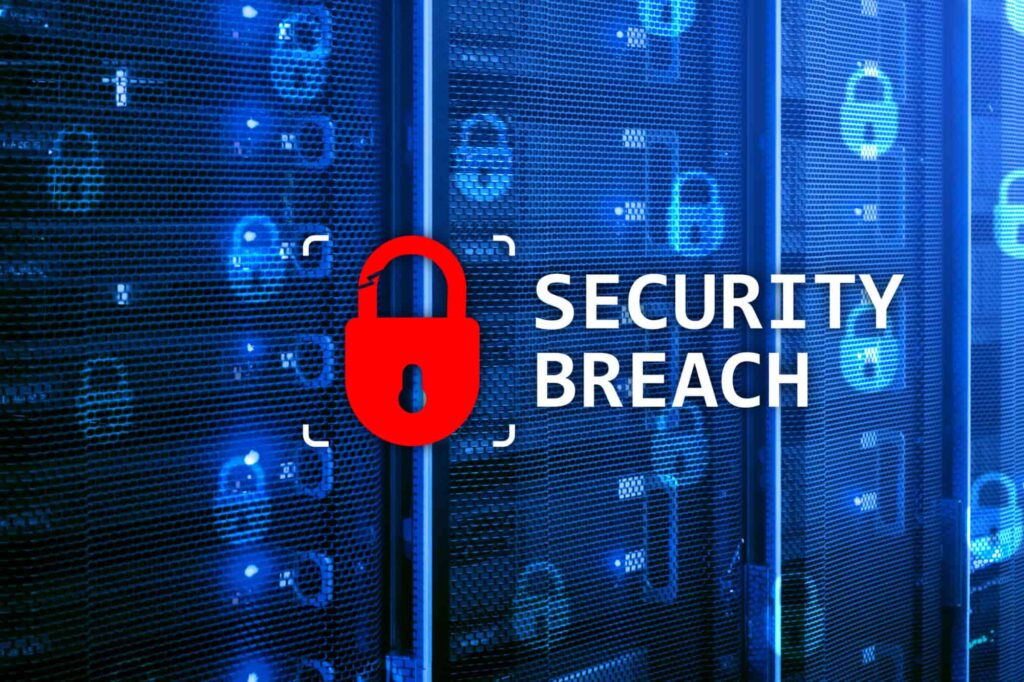
Data breaches occur when a vast amount of confidential and personal information is exposed. These attacks often steal bank account details, passwords, and social security numbers from unwitting victims. Many well-known, large organizations have suffered large data breaches, including JPMorgan Chase, Yahoo!, and the “Mother of All Breaches” (MOAB) that leaked over 26 billion records from various online platforms, including Adobe, LinkedIn, and Twitter.
IoT Attacks
IoT, or the Internet of Things, is a network of interconnected smart devices (used in businesses and homes) that are equipped with sensors, software, and other technology tools. For example, if your home includes a smart refrigerator and thermostat, these devices are part of your residential IoT. Cybercriminals may look to exploit IoT vulnerabilities to steal your data, hijack your devices, and cause harm.
Password Attacks
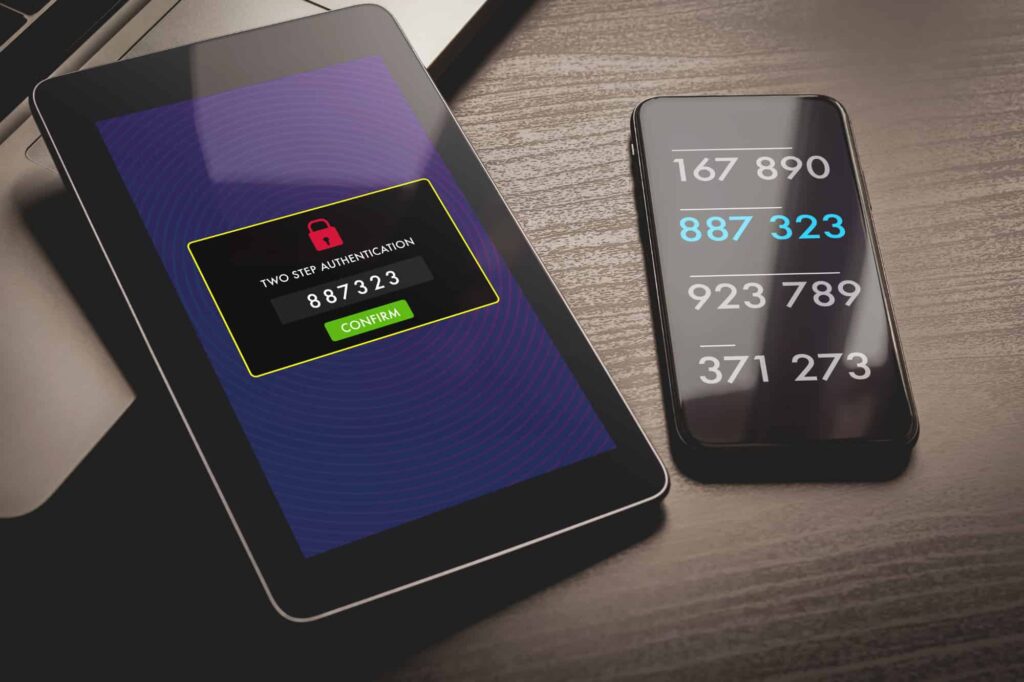
Malevolent actors use password attacks to crack weak passwords and gain access to your accounts. If you do not have two-factor authentication (2FA) set up on sensitive accounts, your password may make you easy prey for criminals.
Social Engineering Attacks
A social engineering attack uses psychology and deception to perform “human hacking” — cybercriminals will lure you in and gain your trust to exploit your personal vulnerabilities and gain access to your personal information and finances. Social engineering scam artists often use urgent demands or pluck on your heartstrings. For example, a bogus “IRS agent” may call you, send you an SMS or private message, and threaten arrest if you don’t immediately send direct payment. Or, a scammer might claim they can’t afford a medical operation and need your financial help.
Passwords and Authentication: Simple Steps to Improve Your Online Security
Adding password protection to each of your digital accounts can help to enhance your basic cybersecurity. Keeping your software and systems current by ensuring you install the most recent security updates also increases your online security.
The best way to protect your passwords is to create strong and unique passwords for every account. Use a combination of lower and uppercase letters, symbols, and numbers to strengthen your password. Many account portals will show you how weak or strong your password is as you create it.
Password managers, like 1Password and NordPass, can generate strong passwords for you, safely store them, and allow you to access them at any time. Using a password manager in conjunction with 2FA, especially for financial accounts, will also add an extra layer of security and password protection. 2FA greatly reduces the risk of fraud as well.
2FA provides enhanced cybersecurity when you’re accessing your accounts. You cannot access a 2FA account without authenticating your identity, which also makes it difficult for unauthorized users to access your accounts. Here’s how it works:
- For the first factor of the authentication process, you enter your password.
- The second factor is either a biometric identifier like a fingerprint, or a one-time code sent to you via SMS message or email.
If you use a password manager, 2FA, only open websites with https connections, and utilize tools like ad blockers and VPNs, you can also ensure that your Internet browsing is secure. You can also explore resources like the CISA (Cybersecurity and Infrastructure Security Agency) “Tips to Stay Safe While Surfing the Web.”
Antivirus, Endpoint Protection, & Firewalls: Free and Paid Tools to Get Started
Whether you’re looking for personal basic cybersecurity tools such as antivirus software, endpoint protection solutions, and firewalls, or you need these tools for your business, there are a multitude of free and paid premium options available.
Here’s a look at what each of these tools provides:
- Antivirus Software: Antivirus software offers basic cybersecurity protection for your devices by scanning for and removing malicious software. It searches for known computer viruses, infected files, and suspicious behavior. Most modern antivirus options feature automatic updates to help keep your data safe.
- Endpoint Protection: Endpoint protection is a basic cybersecurity measure that protects devices like desktops, IoT devices, laptops, servers, and smart phones that are connected to a network. Many endpoint protection solutions offer behavioral analysis, machine learning, and signature-based detection to assess, identify, and block threats like data breaches and malware.
- Firewalls: Firewalls are network cybersecurity systems that act as protection for trusted networks (your home or business network) from untrusted networks. Firewalls work by blocking unauthorized network access, monitoring and controlling network traffic, and preventing suspicious or malicious activity.
Here are some free and paid options of each to help get you started:
Antivirus Software and Firewalls
Most computers come with some type of pre-installed antivirus software that includes firewall protection. For example, the newest versions of Windows are packaged with Windows Defender Antivirus. However, you may choose to download a free or paid version of another antivirus software that may offer better protection.
For example, Avast offers excellent free antivirus programs and premium packages. More well-known antivirus providers such as McAfee and Norton provide some cybersecurity basics for free, but you will need a paid subscription to access a full package.
Endpoint Protection
Endpoint protection solutions are great basic cybersecurity options for businesses, and often include antivirus software. Free solutions, including versions of Avira Free Security and Bitdefender, may be great options if you’re working with a restrictive budget.
Excellent premium solutions with paid options include the cloud-based platform, CrowdStrike Falcon, and Cisco Secure Endpoint. These endpoint protection solutions are known for advanced threat detection and prevention.
Open-Source Tools
There are also multiple open-source tools that you can utilize for basic cyber protection. Open-source tools are great, free software applications that offer access to source code for anyone to use, distribute, and modify. These tools offer community collaboration and are extremely cost-effective.
For example, Wireshark offers free access to network analysis security tools and Snort provides an open-source Intrusion Detection and Prevention System.
Staying Safe in a Connected World
Our digital world offers incredible convenience but also increases constant threats to the protection of our personal data. Whenever you connect with the Internet, you leave a digital footprint that criminals can uncover. That applies to kids too, and parents are often surprised how early a baby’s digital footprint can start through photos, apps, and connected devices. You need to take proactive measures to ensure your security.
When you understand cybersecurity basics and make informed choices about the tools you use and the information you share, you dramatically reduce your vulnerability to cyber threats.
Cybercriminals cast wide nets to find their prey. From phishing scams to malware to social engineering, they’re intent on finding victims. Adopting everyday cybersecurity practices, like enabling two-factor authentication, updating your software, and avoiding suspicious links, can offer strong protection.
Online safety isn’t just for IT professionals; it’s for everyone who owns a smartphone, sends emails, or scrolls social media. The good news? Even small steps can lead to big improvements in your digital security.
Building Long-Term Security Habits
Cybersecurity is constantly evolving and requires personal responsibility. To stay ahead of cyber threats, make cybersecurity education part of your digital routine. Subscribe to trusted security blogs like the What Is My IP Address blog, follow updates from organizations like CISA, and stay up to date on the latest scams and vulnerabilities.
While tools like antivirus software, VPNs, and firewalls offer essential protection, the most powerful cybersecurity defense starts with you. Personal responsibility means taking ownership of your online habits. Create basic habits to keep yourself safe online, like using strong passwords, avoid unsecured WiFi networks, and avoid opening suspicious links.
Understanding cybersecurity basics is the first step to safeguarding your digital life. From recognizing threats like phishing and malware to using trusted tools and developing strong habits, you can increase your digital protection. Stay informed, stay alert, and stay in control of your cybersecurity.