
How to Stay Safe Online When Malware Is Everywhere
What it is. How to spot it. How to get rid of it.
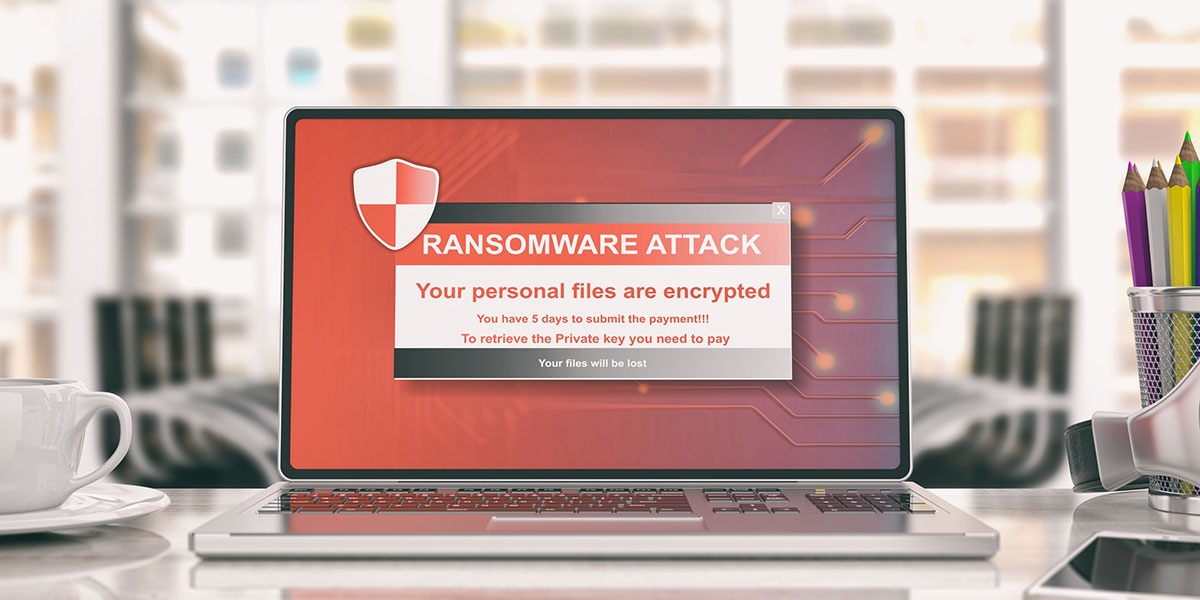
Do you need to worry about malware? Yes, indeed. If you think of malware as a disease for your computer, you get the idea. Like Covid at its height, malware is a virus that can absolutely ravage computers and a computer network. Can malware be avoided? Yes. Can it be removed if you find you have malware on your PC? Yes.
Here’s a serious question: It is possible to have malware on your computer on not know it?
Yes.

If there is malware on your computer, you don’t want to live with it. Once it’s in your computer, nothing good can happen. The cyber bad guys that installed it can do a variety of unpleasant things:
- Send inappropriate messages and ads
- Steal information from your computer
- Freeze your computer and demand payments (ransom) to set it free
- Control your computer and make it pretty much unusable
Let’s start with this—recognizing the possible signs of malware.
“This isn’t normal.”
If your computer (or tablet or phone) starts having problems that it didn’t have before, it could be a sign of malware or some other virus. Here are some hiccups to look for:
- Your computer starts crashing, slows down noticeably, or keeps displaying an error message
- You can’t shut down or restart the computer
- You’re not able to remove software
- You start seeing more pop-up ads and other content instead of what you want
- You begin to see ads on websites or pages where you didn’t see them before
- Strange or new icons or tools/toolbars appear on your browser or desktop
- Your screen displays pages, tabs you didn’t open
- A browser/search engine that’s not your default opens up
- You get email replies to email you didn’t write and send
- The battery drains faster than normal
Just one of these issues could be a sign of malware.
Let’s talk about why cyber crooks want to place malware on peoples’ computers in the first place. As you might guess, none of the reasons are good. They will use malware to steal important personal information from you, such as…
- Account usernames and passwords
- Bank account numbers
- Social security numbers
- Other personal identifying information
If a cybercriminal successfully infects an organization’s computers, they’ll hold the network hostage. If they attack individuals, they’ll use the data they steal to steal the victim’s identity, if they can.
How Malware Gets on Your Device
In case you haven’t heard, the internet was not created with safety in mind. In fact, from the very beginning, the people who developed all our great technologies didn’t concern themselves with security issues.
After all, who could really foresee technology taking over our lives as it has.

So even today, with all the advances made in technology and security, it’s still easy to get malware without doing anything you might consider “horribly wrong or dangerous.” Here a few mistakes that could lead to getting malware.
- Visiting a website that you aren’t aware is a fake
- Downloading “free” files, such as free movies or programs (even though it’s not illegal)
- Downloading any files on popular file-sharing sites
- Uploading files from external storage devices you have
- Clicking on links (inadvertently, innocently) on what are fake security messages (pop ups) from scammers
- Innocently clicking on what looks like a real ad, but is fake and launches the malware
- Clicking on links in an email that seemed safe and legitimate yet was anything but.
As you can see, there are certain behaviors and habits that have a higher likelihood of bringing malware closer than you want. And once you discover malware is on your computer, you need to take on a new set of rules to follow until you’re certain the malware is gone. Let’s take a look at what those are.
Steps to take if you have malware on your device:
- Stop your normal routine. You definitely don’t want to do any shopping, banking or other online activity that involves entering usernames and passwords—you simply can’t take any more risks. Use a different computer if you have to go online.
- Run security software on your computer. Ideally, you’ll have some type of security software on your computer. If you can, download a well-know, reputable security software package on your computer and run the program.
- Update the current version of Windows. Update your computer or device operating system software. Almost all PCs run on Windows; Mac owners use the macOS system. Either way, make sure the version you are using has the latest updates. This is a must! Not updating your operating system can oftentimes lead to computer viruses or hacks. You’ll also want to update any other software programs you use, as well as the “firmware” on your router.
- Run an anti-malware program. The latest antivirus programs also offer antimalware protection. Download a top program if you can and delete files that it marks as problematic. Follow the instructions—you may want to consider taking your PC into a shop that can run diagnostics and help troubleshoot and/or eliminate the problem.
When an antivirus/malware scan finds no more problematic or suspect files on your computer, the program has most likely removed the malware.
Only Use Trusted Antivirus and Malware Software
Few people these days will use a computer, smartphone or tablet without some type of antivirus and malware detection software. In 2017, only 27% of Windows computers were unprotected, as a report by Digital Journal shows. However, not all of those individuals utilize a dependable or well-known provider.
Antivirus software like Norton, Comodo, AVG, Avast, and Webroot may cost you just a bit more than self-described “free antivirus” applications, yet all have a longstanding tradition for being effective and recognizing security threats.
There are free antivirus software downloads on the web, but do you want to trust your computer with just any type of software? Furthermore, many totally free antivirus programs are themselves Potentially Unwanted Programs (“PUPs“), and come installed with some kind of spyware.
Investing in high quality antivirus software is a small price to pay compared to the harmful hijacking or cryptojacking that could occur on your personal devices.
Important Note: Install software updates you receive immediately.
Good antivirus software will go a long way in helping detect and remove malware, but it does not help much if you do not keep the software, and all your other programs updated.
With the latest Google Chrome zero-day vulnerabilities announcement, some browsers remained exposed, even after the automatic update was installed, because the browser was not restarted.
So while IT teams may do a fine job of monitoring, notifying, and correcting security risks, they also need help from you. Therefore, you need not only to install updates as soon as they become available, but also to restart the systems as well, in order to fully implement the updates.
Rely Only On Secure Networks (Encrypted)
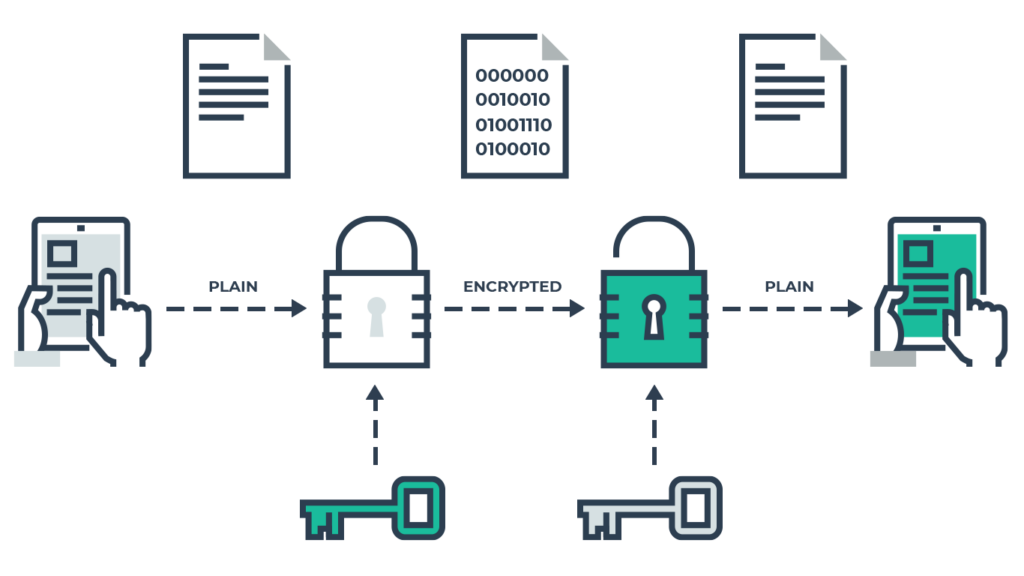
With the mass adoption of wireless technology in the last decade, our personal information is constantly being sent over public networks…and it’s not always protected as well as we think. Our computers connect to files, printers, and the internet constantly, and hackers love to prey on unprotected internet traffic.
The reality is, you’re playing with fire if your do the following:
- Insist on using public Wi-Fi without browser protection
- Do not use a password for your own personal network (and share that information with others)
- Rely only on WEP router encryption, the weakest there is.
Whenever using a Wi-Fi network, whether it’s at home or your local Starbucks, consider using a virtual private network (VPN) with strong encryption.
You need a wireless network at home that is WPA or WPA2 encrypted. Never broadcast your SSID to others even if you have trustworthy guests who want to share the network. Instead, create a guest SSID and different password for those people.
Bottom line: if your network is not secure, you need to use a virtual private network. But you can’t just use any VPN. You need to know what to look for in a quality VPN and, specifically, you need to check and make sure that the VPN you are using is not logging your data, which some VPNs (typically free ones) often do.
Stay Up-to-Date on the Latest Attacks
Cybercriminals are frequently adjusting and introducing new malware. Malvertising, for example, is just one example of malware.
In addition to staying updated with all your programs and operating system, also remove any software you no longer use. Outdated programs no longer have patches (updates/fixes) and leave you vulnerable to attacks.
And while many people don’t like the U.S. government looking over our shoulders, security agencies are actually helping. In fact, there’s a branch of Homeland Security called the Cyber Security Division. The analyze all types of threats, both private and public, and regularly update their database of vulnerabilities targeting both small and large business. Though many staunch libertarians may argue that this is another form of “Big Brother” trying to spy on us, they actually help us—with and without our permission.
Avoiding malware today and tomorrow.
We hope you haven’t experienced any malware attacks and if you haven’t, you’ve probably done a lot of things right, or have managed to avoid a scammer’s bag of tricks. They’ll do a variety of things to trick us into clicking on links to download viruses, spyware and other software you just don’t want. Here are some ideas to keep in mind to stay safe:
- Beware of free downloads of any kind. Oftentimes scammers will attach malware to an innocent-looking and free download of a free program.
- Be sure your firewall is on.
- Set all your software that receives updates to do that automatically as often as possible.
- Maintain the integrity of your browser’s built-in security settings.
We took advice straight from the Federal Trade Commission and put it into this fun and informative infographic…

For more insights into cybersecurity, follow the Easy Prey podcast hosted by Chris Parker, CEO and Founder of WhatIsMyIPAddress.com.