
How to Stay at an Airbnb Without Compromising Your Privacy or Safety

You found it. The perfect charming A-frame tucked into the mountains, wood-burning fireplace, panoramic windows, and a hot tub perched on the redwood deck. You booked it in about 30 seconds flat.
What you probably didn’t think about in those 30 seconds: the Wi-Fi password is taped to the fridge, the network is named after the host’s phone number, and every device you connect will be visible to whoever controls that router.
The cabin is gorgeous. The network security? Less so.
This isn’t about assuming your host has bad intentions. Most don’t. It’s about understanding that the same digital habits that protect you at home apply even more when you’re a guest on someone else’s network, using someone else’s tech, in a space you’ve never been before.
Here’s what you need to know to keep your privacy and security intact from check-in to checkout.
Airbnb Safety Tips Before You Book
Good Airbnb security starts long before you touch the WiFi. A few minutes of research before you book can reveal things the listing photos never will.
Start with the reviews, but read them with a specific lens. Most guests write about cleanliness and communication. You’re looking for anything that mentions security issues, unexpected guests, or privacy concerns. Even vague complaints about the host being “intrusive” are worth noting.
Then check whether the host has verified their identity through Airbnb’s verification system. It’s not a guarantee of anything, but it does mean there’s a real person accountable on the other end of the listing.
Finally, look at how the host communicates. Do they respond quickly? Are their messages clear and straightforward? A host who is evasive or pushes communication off the Airbnb platform before booking is a yellow flag worth paying attention to.
Why Airbnb Wi-Fi Is a Public Network (And Should Be Treated Like One)
That password your host texted you doesn’t mean the network is private. It just means not everyone on the street can hop on.
Once you’re connected, you’re sharing a network with whoever else the host has given access to, and the host themselves can see which devices are connected, how much bandwidth they’re using, and in some cases, what sites they’re visiting.
Think of it like a coffee shop Wi-Fi with a password. The lock on the door doesn’t mean the space is secure.
When security experts talk about “trusting” a network, they mean something specific: do you control it? At home, you do. At an Airbnb, you don’t. That distinction matters more than most people realize.
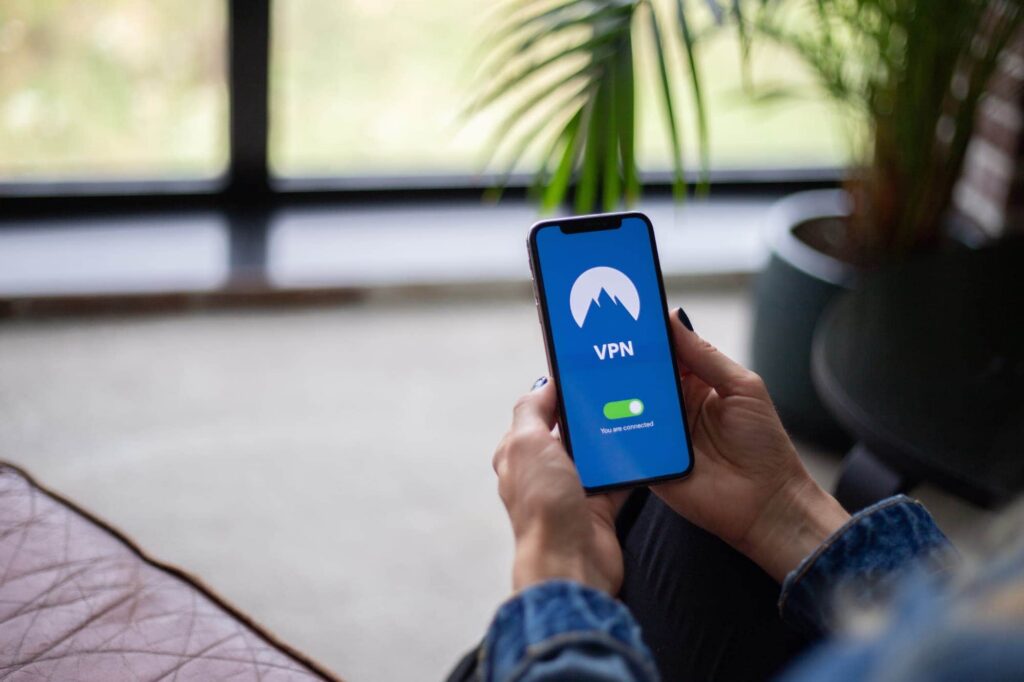
Should I Use a VPN at an Airbnb?
Yes!
If there’s one thing you take away from this article, let it be this: use a VPN whenever you’re on a network you don’t control. That includes your Airbnb.
A VPN, or virtual private network, encrypts your internet traffic before it leaves your device. That means even if your host can see that something is connected to their network, they can’t see what you’re doing. Your browsing, your logins, your messages — all of it gets scrambled into unreadable noise.
This isn’t just a laptop thing, either. A good VPN runs on your smartphone too, which is where most of us do our most sensitive browsing without thinking twice about it.
When shopping for a VPN, look for one with a strict no-logs policy, strong encryption standards, and a killswitch feature that cuts your connection if the VPN drops unexpectedly. Free VPNs exist, but they often come with tradeoffs that defeat the purpose.
What Your IP Address Exposes on a Shared Network
Most people have a vague sense that their IP address exists. Fewer understand what it actually reveals, and even fewer think about what happens to it when they’re connected to someone else’s network.
When you connect to an Airbnb’s Wi-Fi, your device gets assigned a local IP address by the host’s router. That router logs activity. Depending on how it’s configured, it can associate your device with the sites you visit, the times you’re active, and the apps you’re running.
But it goes both ways. Your device is also visible to others on the same network, broadcasting its presence whether you want it to or not.
The fix is straightforward: a VPN masks your activity on the local network, and being mindful of what you do on shared Wi-Fi goes a long way. Before your next trip, it’s worth running a quick check on what your IP address is actually giving away.
How to Scan for Hidden Cameras Using Your Network Connection
Hidden cameras in short-term rentals aren’t just a paranoid fantasy. They get discovered often enough that Airbnb has an explicit policy against them, banning cameras in private spaces like bedrooms and bathrooms entirely.
The policy is reassuring. The enforcement is less so.
The good news is that most hidden cameras, in order to function, need to connect to a network. That’s your opening. A free app like Fing lets you scan the Wi-Fi network you’re connected to and see every device on it. If something shows up labeled “IPCam” or an unfamiliar device name you can’t account for, that’s worth investigating.
Don’t stop at the network scan, though. Do a quick visual sweep when you arrive, before you get comfortable. Hidden cameras tend to show up in predictable spots: smoke detectors, wall outlets, and shelves with a clear sightline to the bed or bathroom. Look for anything that seems slightly out of place or has a small hole or lens glare.
If you find something, don’t unplug it or confront the host. Document it, contact Airbnb directly, and get out if you feel unsafe.
Watch Out for Smart Home Devices
Many Airbnbs come equipped with smart speakers, smart TVs, or voice assistants like Alexa or Google Home. These devices are always on, often always listening, and entirely under the host’s control.
You don’t need to unplug everything, but you should be aware. Avoid having sensitive conversations near voice-activated devices, and if you use a smart TV to log into a streaming service, remember to log out before you leave. Saved credentials on a device you don’t own are a gift to the next guest — or the host.

Don’t Use the Host’s Devices or Shared Tech
Some hosts go the extra mile, leaving a tablet on the counter or a laptop available for guests to use. It’s a nice gesture. It’s also a security risk you don’t need to take.
The problem isn’t necessarily that your host is malicious. It’s that you have no way of knowing what’s on that device. Keylogging software, which records every keystroke you make, is easy to install and invisible to the average user. Saved browser sessions, autofill data, and cached credentials from previous guests can also create unexpected exposure.
The rule is simple: if it’s not your device, treat it like it’s compromised. Check the weather, sure. Look up restaurant recommendations. But don’t log into your bank account, your email, or anything tied to a password you actually care about.
If you didn’t bring your own laptop, use your phone for anything important.
Secure Your Own Devices While You’re There
Bringing your own devices is the right call. But it’s only half the battle.
For anything sensitive, banking, shopping, anything that involves a password or payment, consider dropping off the host’s Wi-Fi entirely and using your mobile data instead. It’s a small inconvenience that closes a real vulnerability.
It’s also worth turning off Bluetooth when you’re not actively using it. An enabled Bluetooth signal advertises your device’s presence to anyone nearby, and in a rental property or shared building, “nearby” can mean closer than you’d like.
And the basics still apply: lock your devices when you’re not using them, use strong, unique passwords, and enable two-factor authentication on your most important accounts if you haven’t already.
You did the hard work finding the perfect place. Spend five minutes making sure your data is as secure as the deadbolt on the front door.
What to Do If Something Feels Off
Your gut is your best security tool. Use it. If something about the space, the network, or the host’s behavior makes you uncomfortable, listen to your intuition.
If you find a suspicious device on the network or spot something that looks like a hidden camera, resist the urge to unplug it and confront the host directly. Instead, document everything with photos or video, then contact Airbnb through the app. The platform has a dedicated safety team and a process for handling these situations.
If you feel unsafe, leave. Airbnb’s policy allows guests to request refunds in situations involving safety violations, so getting out doesn’t have to mean eating the cost of the stay.
And when you’re back home, it’s worth changing passwords for any accounts you accessed during your trip, just as a precaution.
A Little Paranoia Goes a Long Way
Most Airbnb stays go exactly as advertised: a great space, a generous host, and memorable experiences worth the trip. But “probably fine” has never been a security strategy.
The risks we’ve covered aren’t hypothetical. They’re the predictable consequences of connecting to a network you don’t control, in a space you’ve never vetted, with devices that hold more personal information than most people’s filing cabinets.
The good news is that protecting yourself doesn’t require much. A VPN, a quick network scan when you arrive, and a few adjusted device settings add up to meaningful protection without adding much friction to your trip.
Good stays begin with smart habits. Remember: relaxing is great, but don’t let down your guard when it comes to privacy and safety.